 Skip to content
your collection in one library.
rpm puts the music you own in one library on your computer: CDs and DVDs you rip, vinyl and cassettes you record, and the files you already have. Each album is looked up in a release catalogue and gets its track titles, artwork and details.
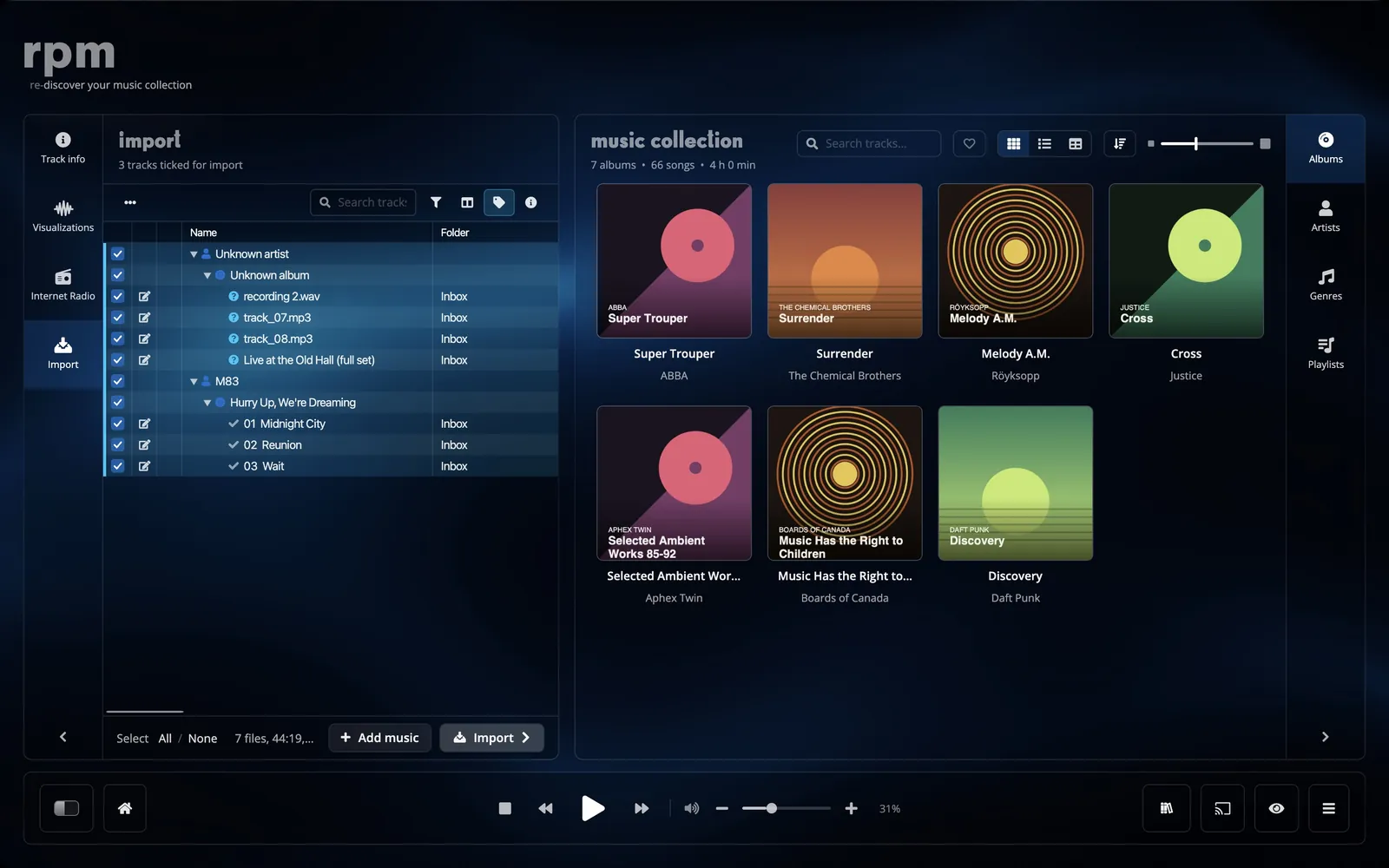
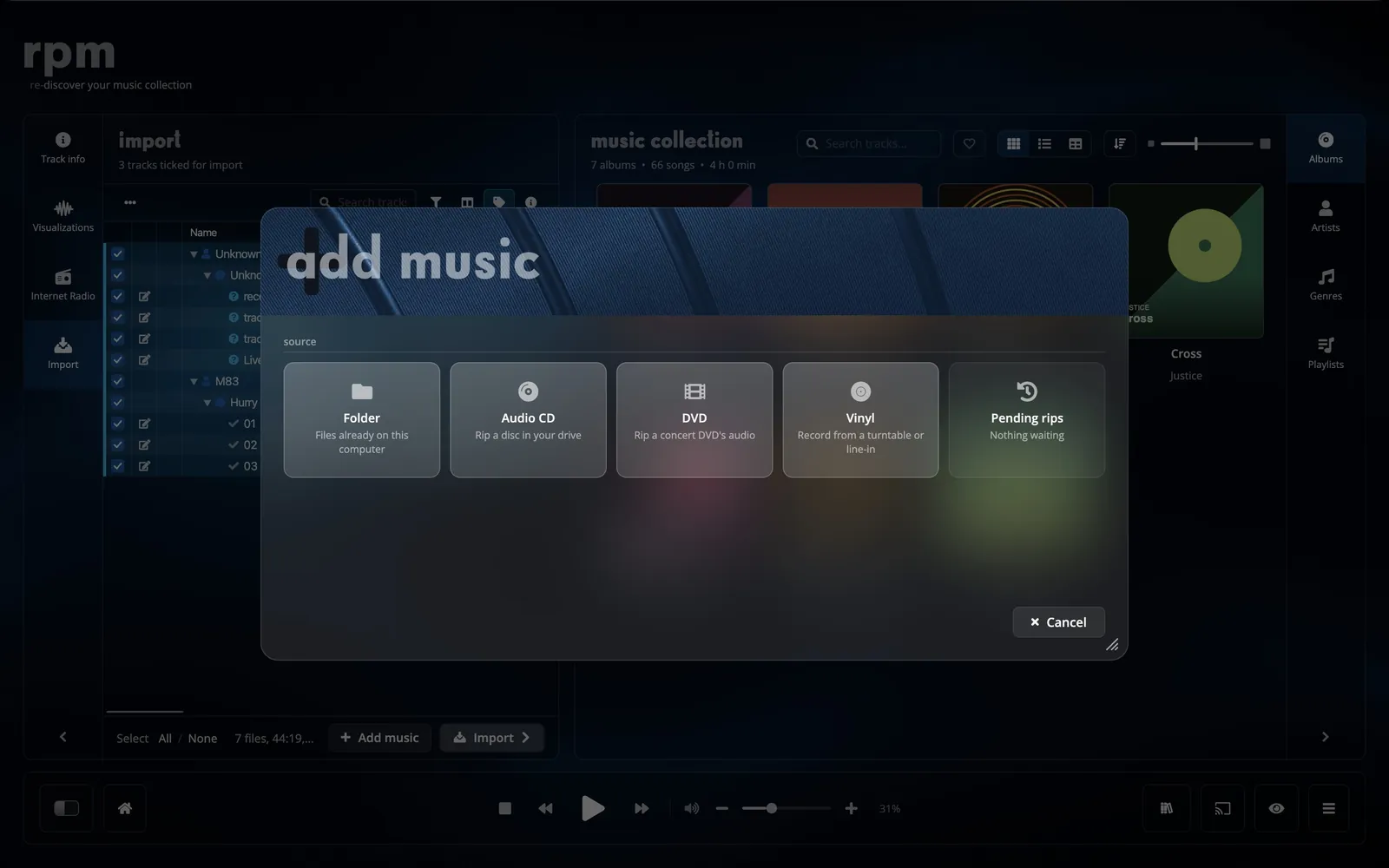
ripping cds and dvds.
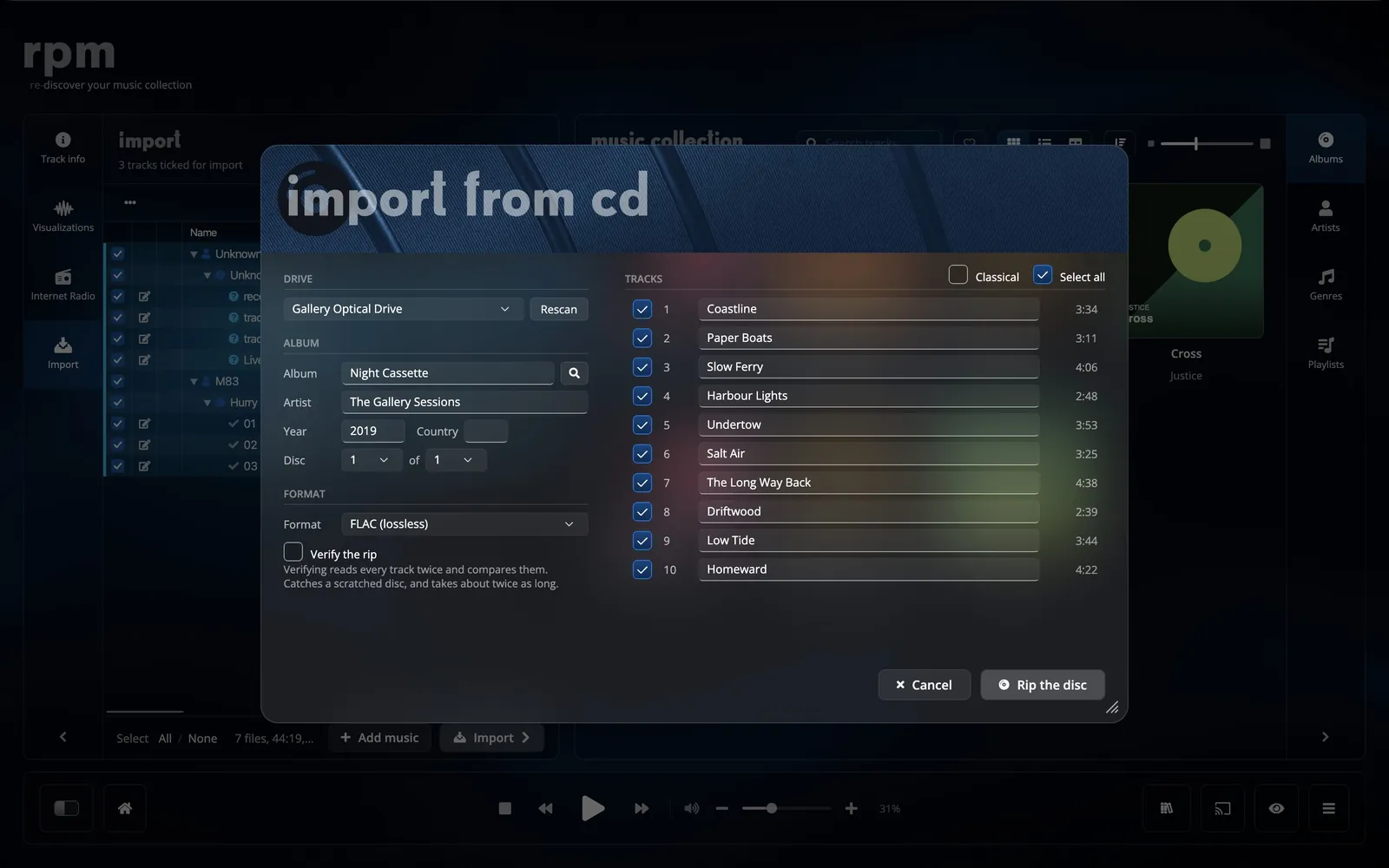
When you put a CD in the drive, rpm asks whether to rip it. It identifies the disc, fills in the track titles, and rips in the background while you keep listening.
- FLAC, Apple Lossless or MP3 at 320 kbps.
- Verify reads every track twice and compares the two reads, to find errors from a scratched disc.
- Unreadable spots are filled with silence and counted. You can skip a track, or stop and keep the tracks that are done.
- Each disc of a box set is numbered within the set. Concert DVDs are ripped as one track per chapter.
Recorder
recording vinyl and cassettes.
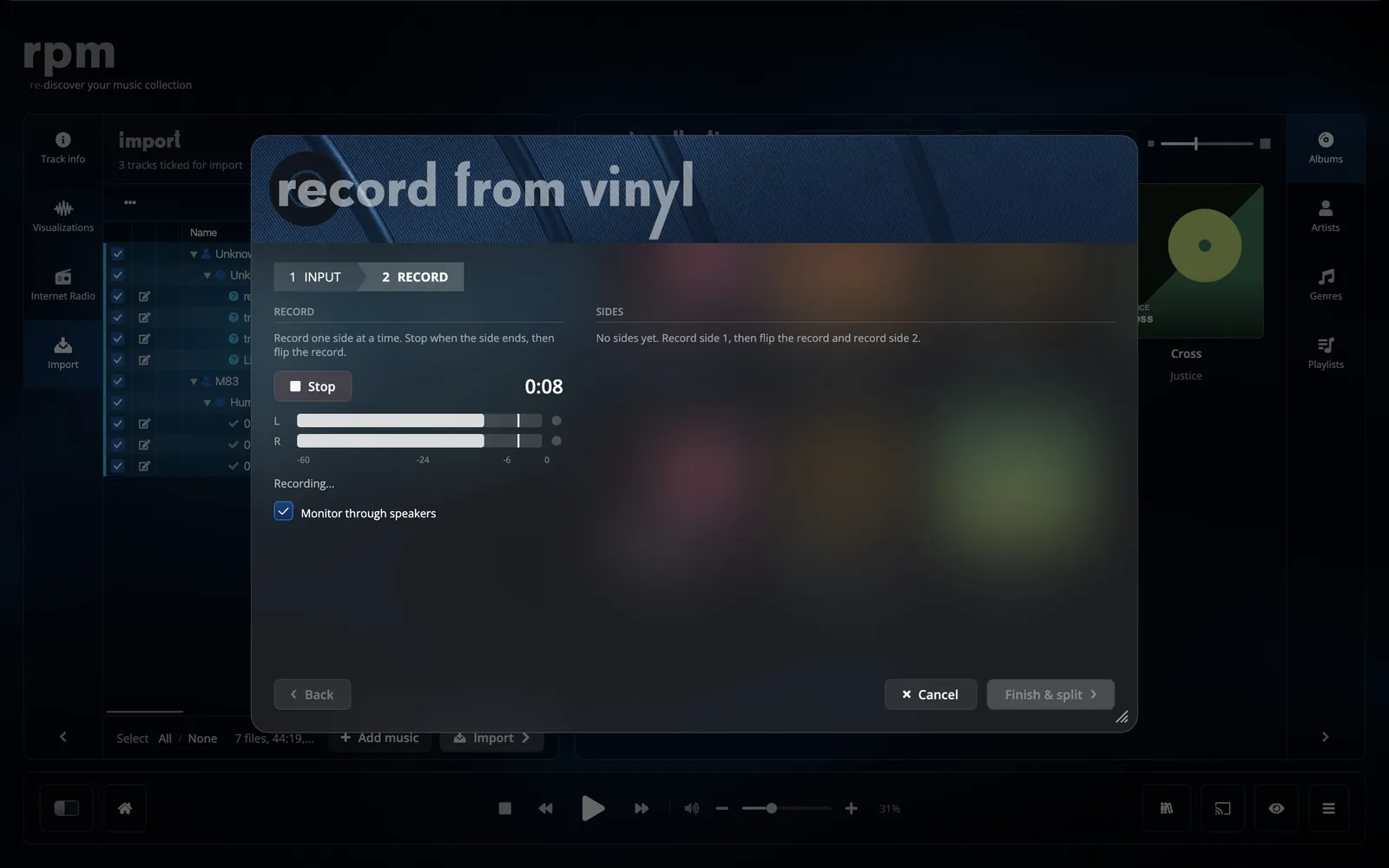
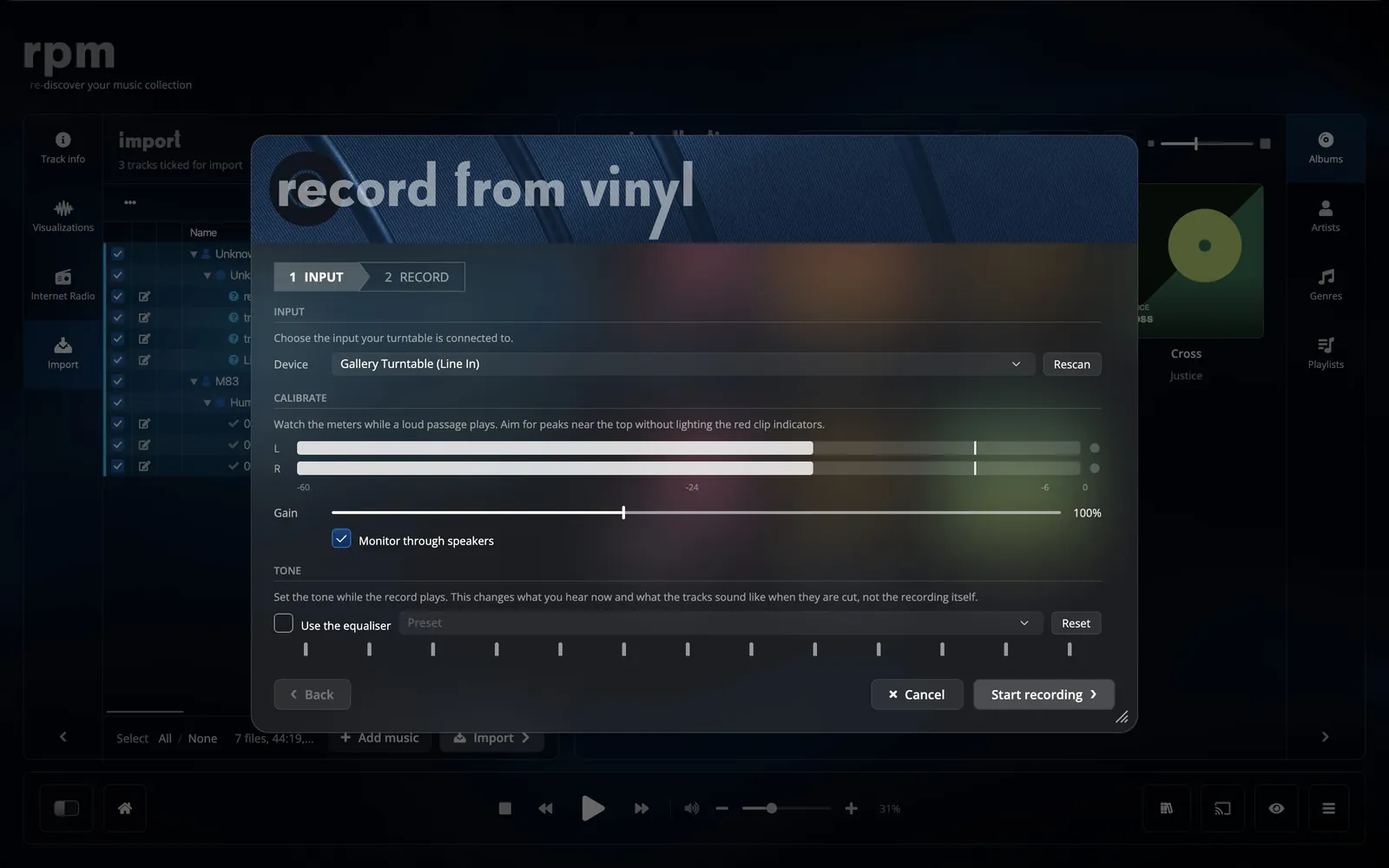
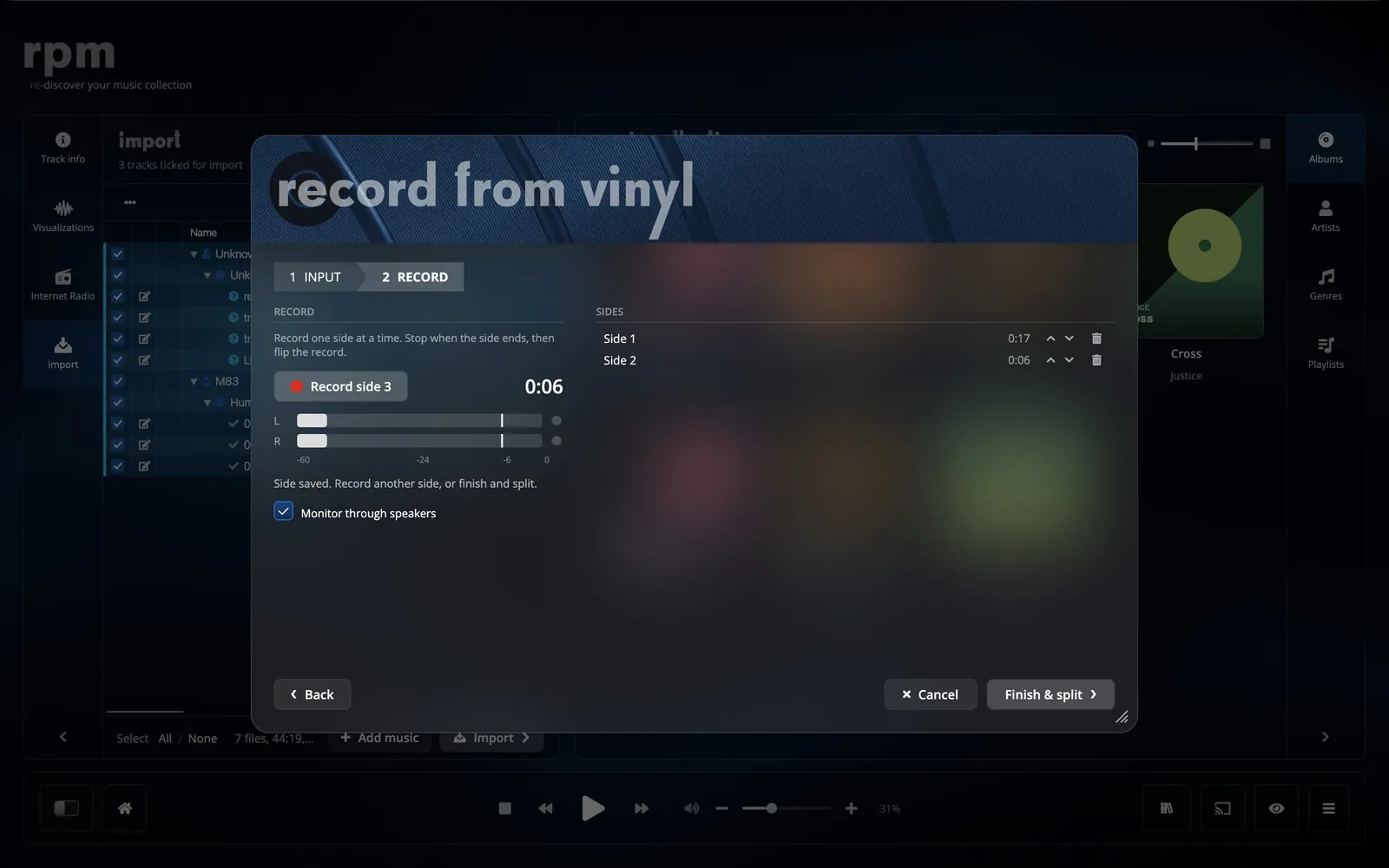
Connect a turntable or cassette deck to your computer and record one side at a time. Set the input level with the left and right meters, listen through your speakers while it records, then turn the record over and record the next side.
- Every side is recorded losslessly, as FLAC.
- Left and right peak meters with a clip indicator.
- An equaliser with presets can be set while recording and is applied to the tracks.
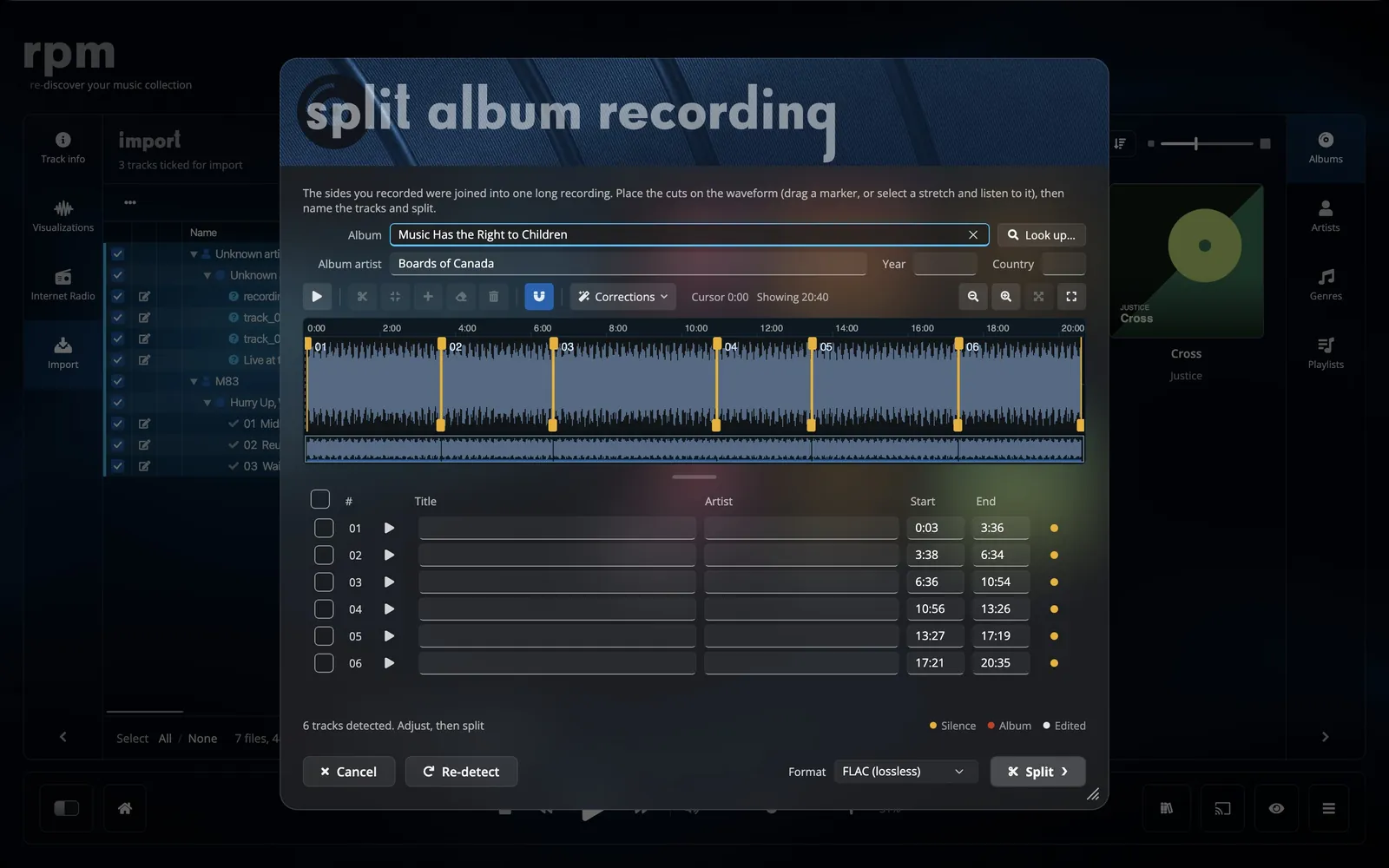
- rpm places the track cuts from the silences, from a cue sheet, or from the track lengths of the release.
Clean up
removing clicks and noise.
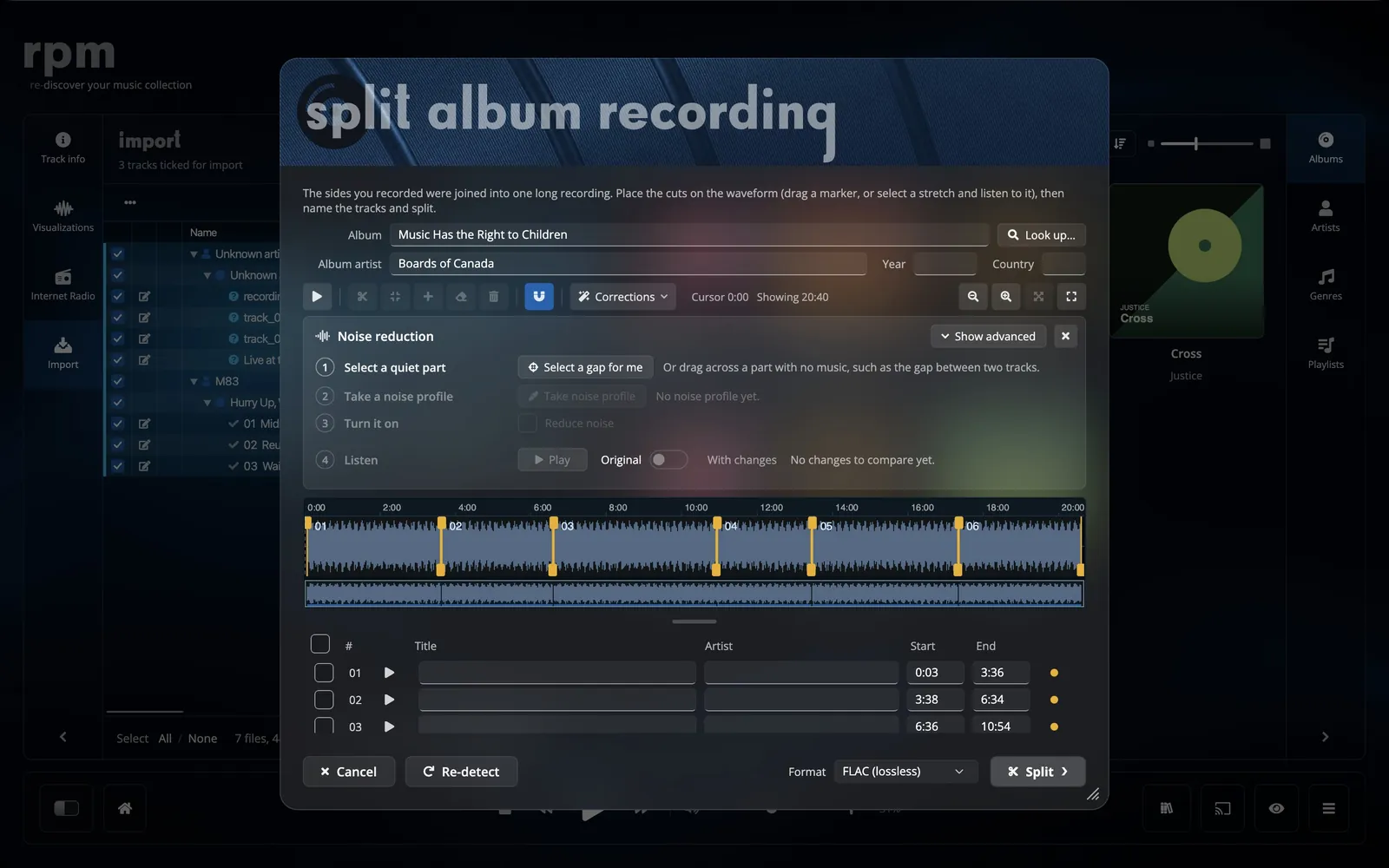
Click removal finds and repairs clicks and pops in a recording. Noise reduction measures the hiss and rumble in a quiet part of the record and removes it from the rest. While a part plays, you can switch between the original and the corrected sound.
- Click removal needs no setup; the strength goes from gentle to strong.
- Noise reduction uses a profile taken from your own recording.
- One switch changes between the original and the result while it plays.
- The original recording is kept.
identifying the release.
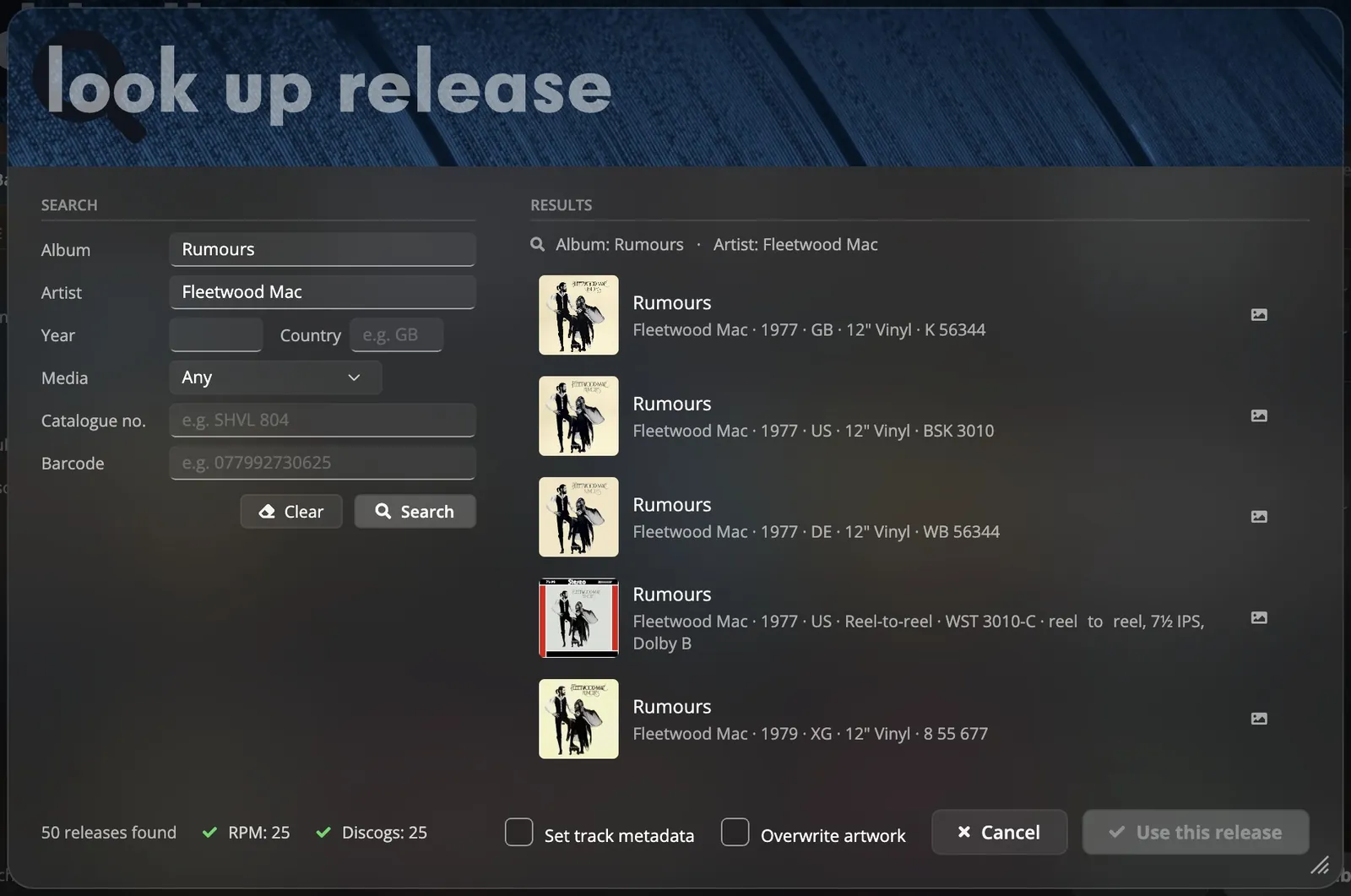
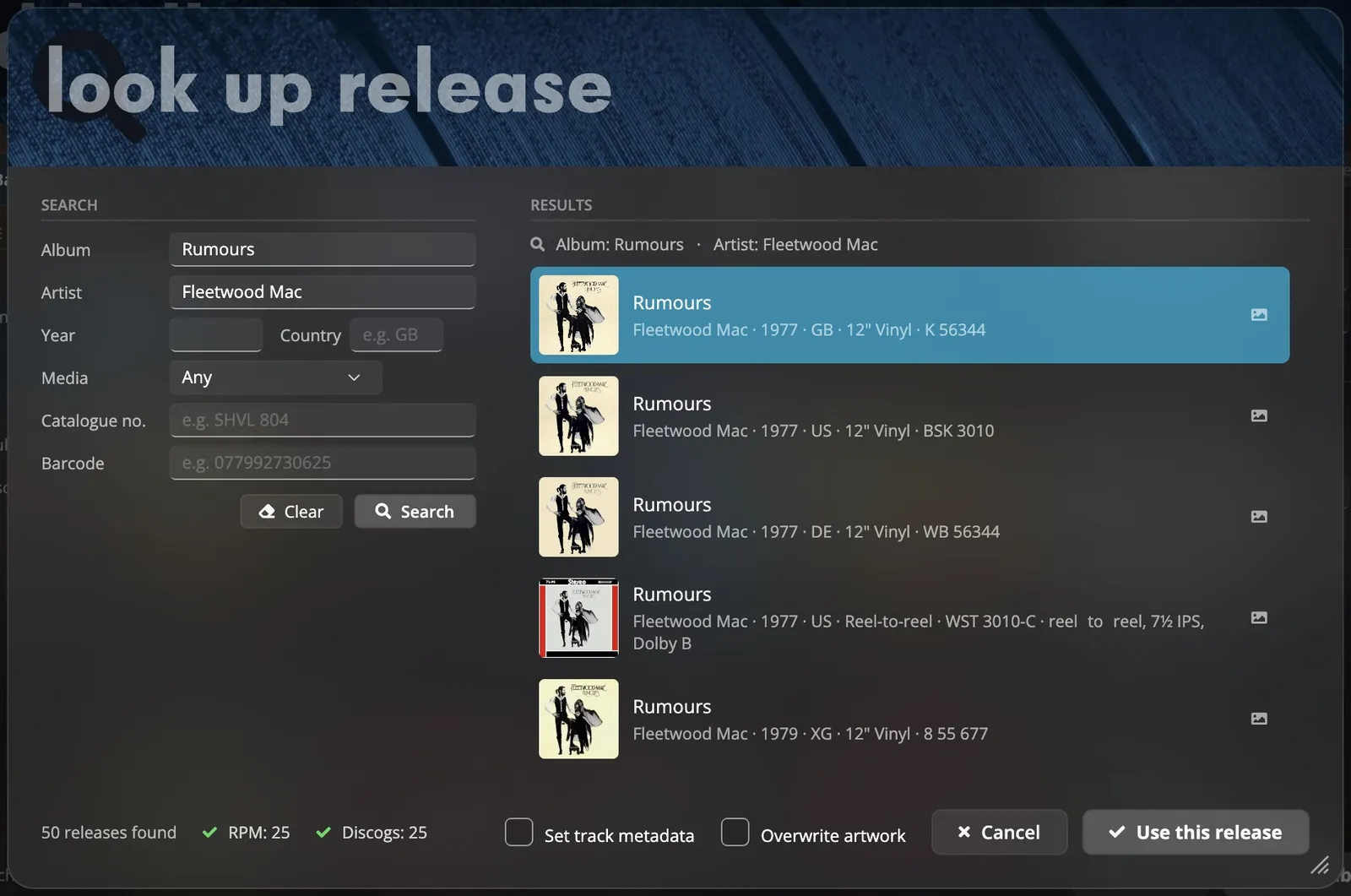
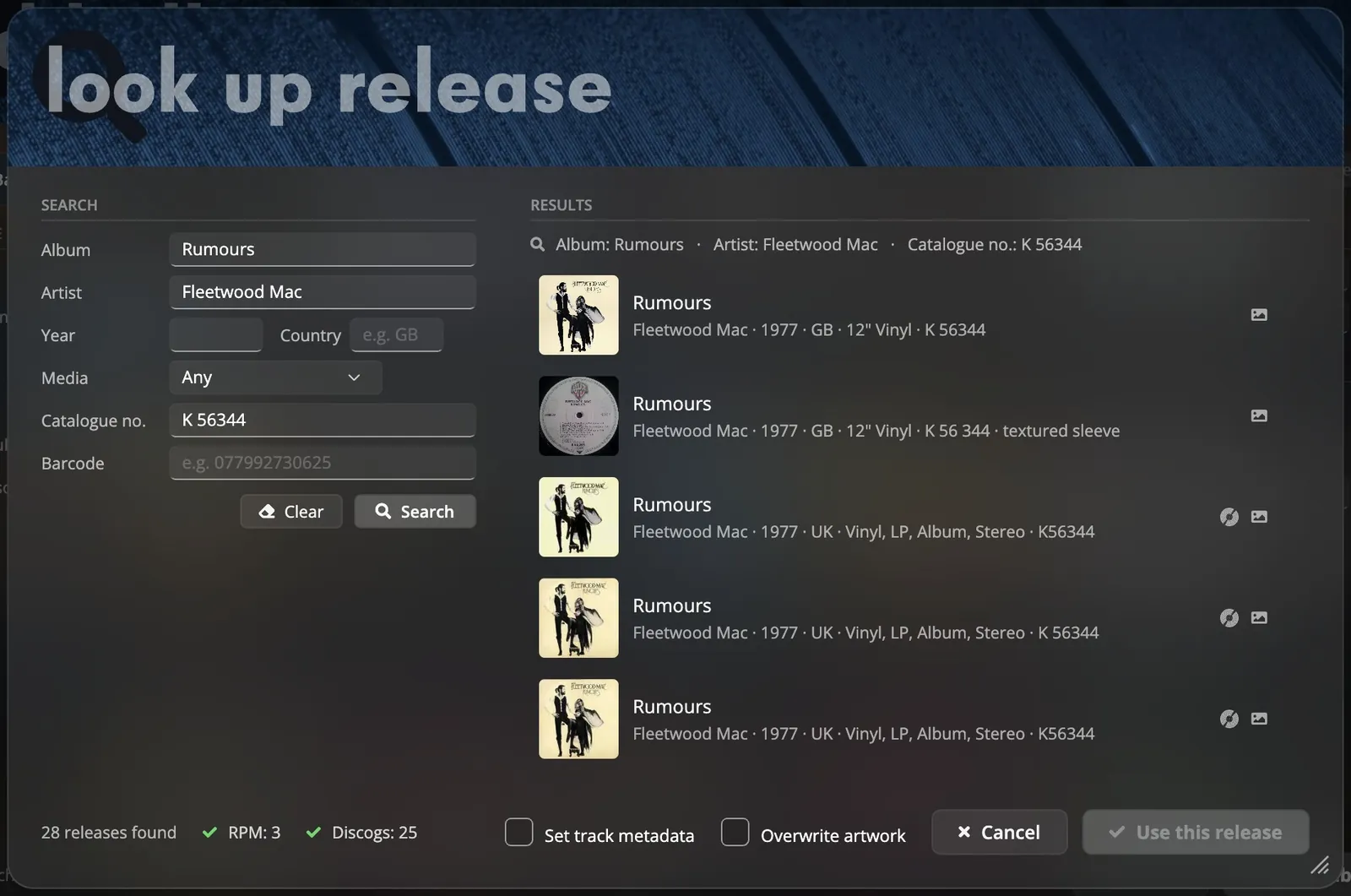
Each copy of an album is a specific release, with its own country, year and catalogue number. rpm searches its own catalogue and Discogs by title, catalogue number or barcode, and fills in the tracks from the release you pick. An album linked to a release shares its reviews with everyone who owns that release.
- Search by album, artist, catalogue number, barcode, country or format.
- Tracks without names can be recognised from a 15 second clip of the audio.
- Cover art is searched in up to eight sources; disc art in three.
importing files.
Choose a folder and the import workbench lists what it found before any file is moved: duplicates, better copies of albums you already have, files that cannot be read, and tracks with missing tags.
Split an album file
A single file that holds a whole album is cut into tracks on a waveform.
Tags from file names
Artist, album and track number are read from the file and folder names, or taken from a release.
Your folder layout
Five naming templates or your own. Files are moved or copied on import, and the collection can be re-filed later.
Edit many at once
Change one field on all selected tracks at once.
other features.
Record display
The record shown turning on screen takes its colour from the sleeve, or shows the real label when there is disc art.
Box sets and multi-disc
Keep a set as one album or one per disc, with disc subtitles.
Classical
Works and movements, a classical naming template, and its own place in volume levelling.
394 subgenres
Every album placed in one of 35 genres and its subgenres, with styles from Discogs.
Safe deleting
Deleting from your computer moves the files to the Trash and keeps the cloud copy.
Inbox
Files copied into the collection folder by hand are moved to an inbox to be imported.
join the closed beta.
We are choosing a limited number of beta testers. They get the app, 100 GB in the cloud and the supporter perks.